Letter
18 strips per page for 45s, 36 for 78s.

Print at home or at a print shop
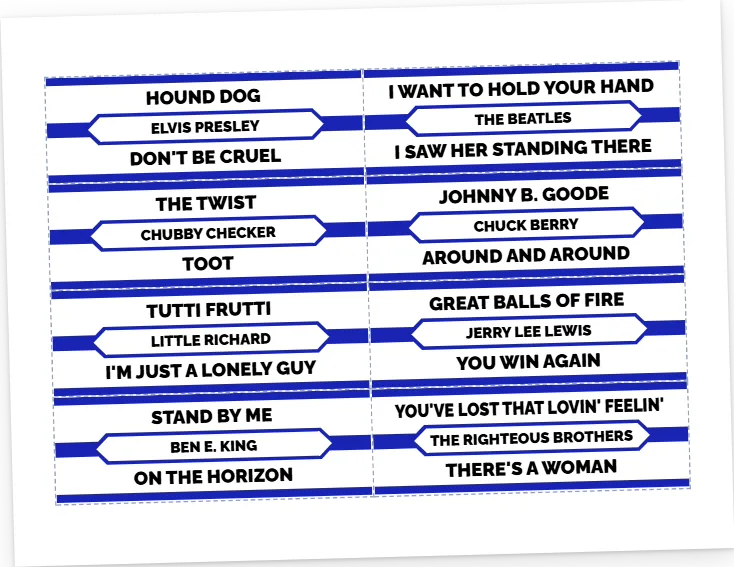
Get a PDF of your title strips, laid out on Letter, Legal, Tabloid, A4 or A3 with the cut lines marked. Print it on card stock, trim on the lines, and the strips are ready for your jukebox.
Free to start • Works in your browser • Nothing to install
Pick the records to print from your collection, or send a whole jukebox layout at once.
Letter, Legal, Tabloid, A4 or A3. Print each strip twice if you want a spare or a copy for a wallbox.
Download the PDF, print it at Actual size on card stock, and cut on the lines.
Strips print at their real size on each one, with the cut lines marked.
18 strips per page for 45s, 36 for 78s.
22 strips per page for 45s, 44 for 78s.
42 strips per page for 45s, 84 for 78s.
18 strips per page for 45s, 36 for 78s.
42 strips per page for 45s, 84 for 78s.
Yes. A free account prints up to 50 strips per print set and keeps up to 10 print sets. Pro designs and fonts print in a standard design and font. Pro removes the limits and makes your PDF straight away.
60 to 70 lb card stock or heavy matte paper. Print at Actual size (100%), not Fit to page, then cut on the lines with a paper trimmer.
45 strips print at 3 × 1 in and 78 strips at 3½ × ½ in, the standard sizes. Print one page first and hold a strip against one of yours before you print a full set.
Not yet. The PDF is for plain paper or card stock, with cut lines.
Yes. In Layout Studio, make a PDF of a whole layout, or add it to a print set with other strips. See Layout Studio