Rock-Ola Bubbler and Wurlitzer One More Time
Rock-Ola Bubbler and Nostalgic CD jukeboxes, the Wurlitzer One More Time (OMT 1015) and most other US CD jukeboxes.

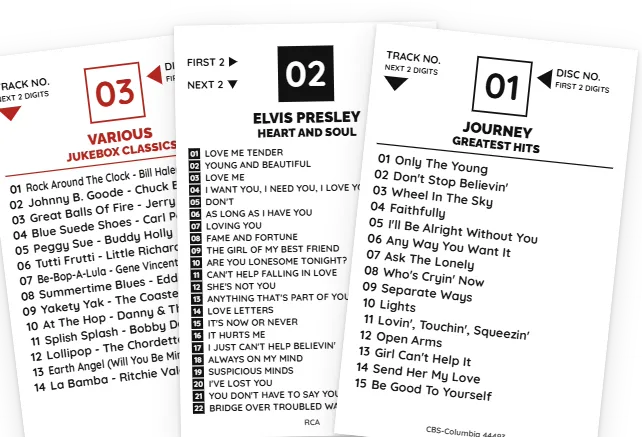
Choose your machine and your cards come out the right size. Another jukebox? Enter your card's width and height.
Search by artist and album, or type the barcode from the case. The tracklist fills in from Discogs, and a 2-CD set gets a card for each disc.
Download a PDF with crop marks for Letter, A4 and more. Cards print in disc order, and you can change any disc number with a click.
Choose your jukebox and the card is the right size. No margins to set, no rulers on the screen.
Rock-Ola Bubbler and Nostalgic CD jukeboxes, the Wurlitzer One More Time (OMT 1015) and most other US CD jukeboxes.
Other NSM CD jukeboxes.
The NSM Galaxy CD jukebox. Its cards have no disc number, so the box is left off.
The strip beside the CD booklet on Rowe CD-100 models.
Measure one of your cards and enter its width and height. Everything on the card resizes to fit.
Not sure which you have? Measure a card from your jukebox, edge to edge. Some machines take other sizes, so check before you print a full set.
Yes. A free account prints up to 50 cards per print set. Pro removes the limit and adds premium fonts and instant PDFs.
Card stock or heavy matte paper works best. Print at Actual size (100%), not Fit to page, then cut on the crop marks with a paper trimmer.
Not yet. The PDF is for plain paper with crop marks. Templates for perforated sheets are on the list.
Yes. Choose Custom Size and enter your card's width and height in inches or millimeters.
Yes. CDs and records share one collection. Title strips and CD cards go in separate print sets.
Start free. Your first cards can be ready to print in a few minutes.
Got a 45 or 78 jukebox too? See title strips →