
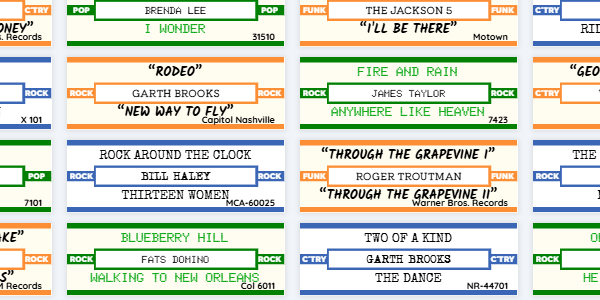
Original title strips weren't all one style. Many printed the artist in a different type from the songs, and some added the label and catalog number in small print. Your designs can now do the same.
What you can change
- Separate fonts for artist and songs. Pick each one, plus capitals on or off, italics and quotes around the titles.
- Details text: the record label, catalog number or year, filled in from each record, so one design works for your whole collection.
- Side labels: short text on the ends of the strip, like the genre or "45 RPM". Turn on Auto-fill and the genre comes from each record.
Where to find it
Go to Title Strip Designs and open a design to edit it. The Text Style, Details Text and Side Labels steps hold these settings. Since June the editor takes you through them in order: see the simpler title strip editor.