
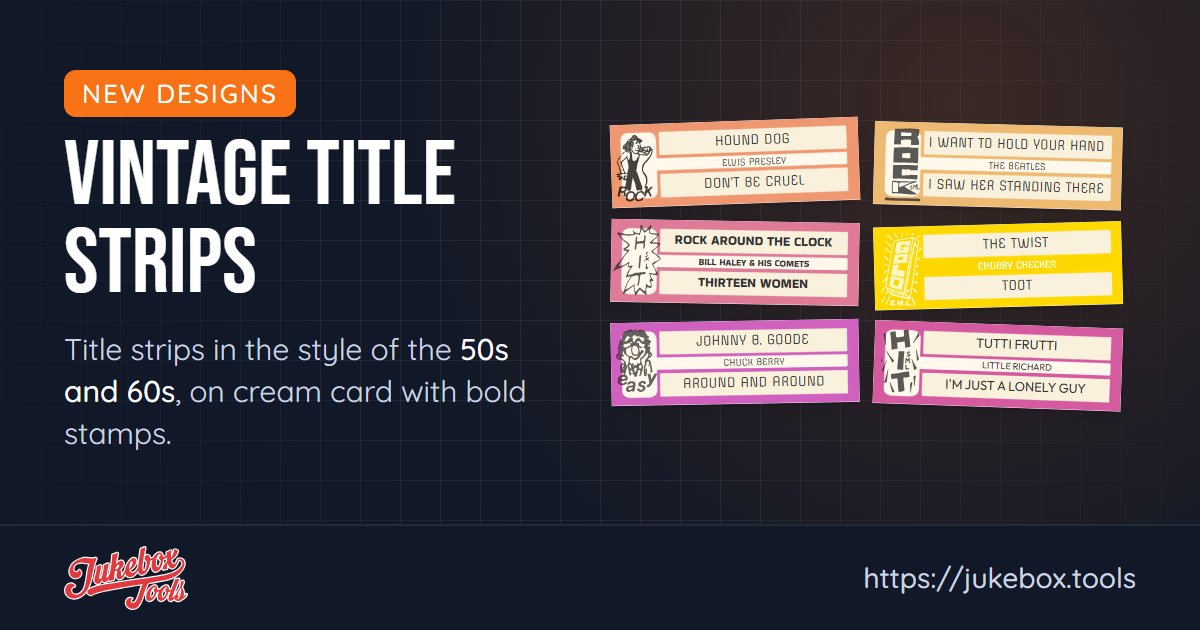
The strips that came with records in the 50s and 60s had a look of their own: cream card, one bold color, a stamp or a star. There are eight new designs in that style.
The designs
- The stamps: Rock Stamp, Hits Stamp, Hits Block Stamp, Gold Stamp and Easy Stamp each have a hand-drawn stamp on the left end (ROCK, HIT, GOLD or EASY), with the titles on cream bands across a bold color.
- Rock Vintage: a rock-and-roller on the left end, the same cream-and-color look.
- Star and Gift Of Music: two more in the same period style. Gift Of Music is in the Christmas group, with the other vintage Christmas designs.
Most come with more than one ready-made color, and you can change the colors and fonts like any other design.
Want to see them on paper first? Here's a sample PDF of vintage strips.
How to use them
- Go to Title Strip Designs.
- Click Add Preset for a ready-made vintage strip, or Add Custom Design, then Change Design, and pick one from the Vintage group.
- Give the design to a record, or use Change All Designs in Layout Studio to give it to the whole jukebox.
Free or Pro?
The vintage designs are part of Pro. On the free plan you can try them on screen; your PDF prints them as the standard red design, and the print set shows you which strips that applies to before you print.