
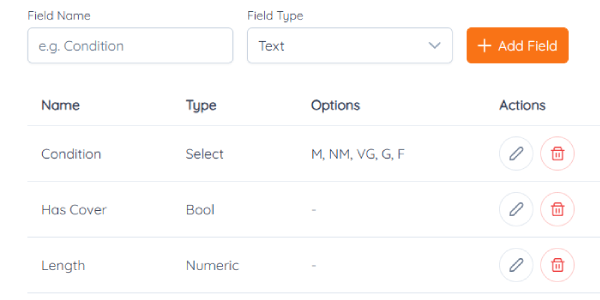
Every collector tracks something different: the condition of the vinyl, which crate a record is in, what it cost. Custom fields let you add your own.
Make a field
- In your collection, click Custom Fields (or go to Settings and the Custom Fields tab).
- Click Add Field, give it a name, like Condition, and pick a type:
- Text for anything, like notes or a shelf number
- Numeric for numbers, like the price you paid
- Select for a fixed list, like Mint, VG+, Good, Fair
- Boolean for yes or no, like "Needs a new sleeve"
- Save. The field now shows on every record.
Use it
- Fill it in when you add or edit a record.
- Search by it in Advanced Search, next to format, genre and year.
- Bring it in from a spreadsheet: when you import your list, match a column to your custom field.