
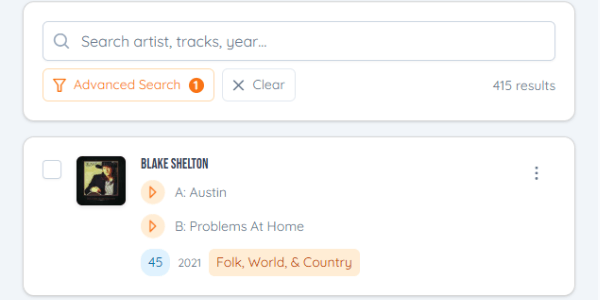
The question at every record show: do I already have this one? Your collection now works on your phone, so you can check before you buy.
How to use it
- On your phone, go to jukebox.tools and sign in with the same account as on your computer.
- Open Music Collection. Each record shows as a card with its picture and both sides, sized for a phone screen, and you can play a clip of either side.
- Search by artist or song title, or use Advanced Search to narrow it down.
Anything you add or change on one device shows up on the other.
To open it like an app, use your browser's menu (or the Share button on an iPhone) and choose Add to Home Screen.
You can add records from your phone too, including by taking a photo of the label.